Custom Report Types

What is a Report Type?
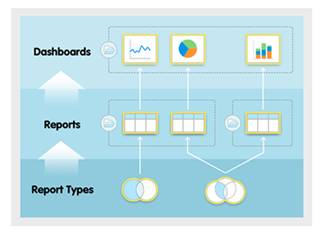
A report type is like a template that makes reporting easier. The report type determines which fields and records are available for use when creating a report. This is based on the relationships between a primary object and its related objects. For example, with the Contacts & Account (Relationship) report type, Contacts is the primary object and Accounts (Relationship) is the related object.
Reports display only records that meet the criteria defined in the report type. Elements provides a set of predefined standard reports, and report types. Don’t see all the fields you want? Your System Administrator might need to create a custom report type.